Showing posts with label GIMP. Show all posts

Thursday, November 15, 2012

French Wedding, Zazzle and GIMP

Zazzle makes it pretty easy to coordinate your wedding (or anniversary, reception or other event) with all the stationery products you need, with customized cards you design yourself or a huge variety of interesting designs from other designers. I am going to use a few products that I recently designed as an example.

I have been kind of interested and charmed lately by the vintage bunting/garlands that have been popping up in many places lately. Some might recall the Halloween bunting I made for our home decor and my daughter's birthday party last month.

SPOOKY Bunting


I used GIMP, my free image manipulation program, to make French ephemera wedding bunting to apply to various products in Zazzle. The background for the letters to spell out OUR WEDDING is   made of lovely vintage French typography, advertisements, receipts, etc. - all from Karen at the Graphics Fairy. It took a bit of time to shape each piece of ephemera into the pennant, or equilateral triangle, shape before applying the letter to each one. I used a great font called Chocolate Box Decorative.

I then applied a background and text and came up with invitations, Save the Date postcards and RSVP cards.


Table seating cards and menu cards are also possibilities.

I have the French Wedding bunting with alternative backgrounds that I have not yet posted on Zazzle. These are more colorful designs with swirls and leaves in the background in either aqua/teal or purple/lilac/tan.

Now, I have to admit that I had the individual pieces of the wedding bunting done right after I made the Halloween banner, but I could not for the life of me draw a satisfactorily smooth line as the "string" the bunting pieces were attached to. I tried again and again. Guess my hand is just not that steady.

So, in the interim, I have been watching quite a few GIMP tutorials on YouTube, and been reading a lot of GIMP advice. When I found this written tutorial about how to draw a circle, and other shapes in GIMP, I knew it was just what I needed for this bunting project. 

Basically, you use your select tool, in this case the circle (or oval) select. Position your selection where you want your line to be; it doesn't matter if part goes off your image (mine had to a lot to get the correct curve) or if there is extra where you don't want a line, you can just erase later. When you have your selection positioned, go to Edit-Stroke selection, then make your line as thick as you want it (I believe mine were 3 pixels). This also works for squares and rectangles with the rectangle select tools and for other shapes with straight lines. This was a great discovery for me.

I made this funky, fun design


...by drawing a circle the same way on a transparent layer as a guideline for laying out the wreath, then just making it invisible (or deleting it) later.

I know this GIMP "discovery" is probably very elementary for most GIMP users, but I am still reading, watching and learning (mostly through trial and error) and it was just what I needed.

Tuesday, March 27, 2012

Designing Pillows —- Digital Art for Zazzle

Sometime in January I posted in a Zazzle forum calling for ideas for new products how cool it would be if independent designers (me, for instance) could design throw pillows to be produced by Zazzle. I was pretty excited on February 7th when I found out that they now have that in place, and I quickly designed 3 pillows on GIMP. A really nice thing about these pillows and the other housewares products that came out at that time, is that they are being manufactured by a company that "sustainably employs" and supports single mothers.

Here are the three pillow designs that have sold from my store so far. You can see a theme emerging as far as what is popular. (I also see that with my iPhone cases and cards.) Two of these have a digitally collaged background of  vintage Parisian and French ephemera, including an old invoice, receipt, handwritten letter, the handwritten manuscript of Madame Bovary, lovely typography and old stamps, with a number of the vintage images from Karen at the Graphics Fairy.
Paris Eiffel Tower Butterfly Pillow mojo_throwpillow
Paris Eiffel Tower Butterfly Pillow by 13MoonshineDesigns
Vintage Paris French Ephemera Pillow mojo_throwpillow
Vintage Paris French Ephemera Pillow by 13MoonshineDesigns


Three of my other pillow designs were featured products on Zazzle, wining Today's Best Awards.

Sunflower Ancient Rome Italian Pillow mojo_throwpillow
Sunflower Ancient Rome Italian Pillow by 13MoonshineDesigns


And just a couple of days ago:
Vintage French Floral Dress Forms Pillow mojo_throwpillow
Vintage French Floral Dress Forms Pillow by 13MoonshineDesigns


I have actually designed 49  pillows that are available in my store.

If you are a Zazzle designer who has sold any pillows, add a comment to my post with a link to your best selling pillow design.


Tuesday, December 6, 2011

Digital Art and More Image Magic

I have continued working with GIMP, my image manipulation program, the last few weeks.

Paris Butterflies Digital Collage by Anita Barnard

This little Paris Butterfly collage was my most ambitious to date, if only because it had more layers than I had used before in a piece and some fidgety placement and sizing and levels of differing transparency that I had to figure out. I am still playing with how to get to the right place for what are probably some pretty basic commands, and making this digital collage was definitely a learning experience for me. And satisfying in that I am happy with how it turned out.

Starry Christmas Night


I had an idea of Santa's sleigh flying through Vincent van Gogh's Starry Night sky. After I found the vintage image of Santa and his sleigh that I wanted, I spent about 200 years clearing out all the background from in between the sleigh runners and all the little reindeer antlers...with a tiny erase brush and the image at 400% most of the time. (Okay, maybe not quite that long, but my hand was stiff and cramping a bit before I was done. There's probably an easier way of removing a background from an image that isn't all white or just one color, and I'd love some guidance if anyone can tell me what that method is). I am a big van Gogh fan, and I liked how this looks.


Having done all the work clening up the Santa image, I then found some great vintage postcards of Paris and Rome over at The Graphics Fairy blog, and had fun positioning Santa to fly past the Eiffel Tower and over the Coliseum.

Many of my new images - and variations, as well as images of my hand cut physical collages and art have been put on some things like cards, mugs and shirts over on Zazzle. Here are some examples.


Monday, October 31, 2011

More Small Stories, Mixed Media Collage


First of all -
Happy Halloween!

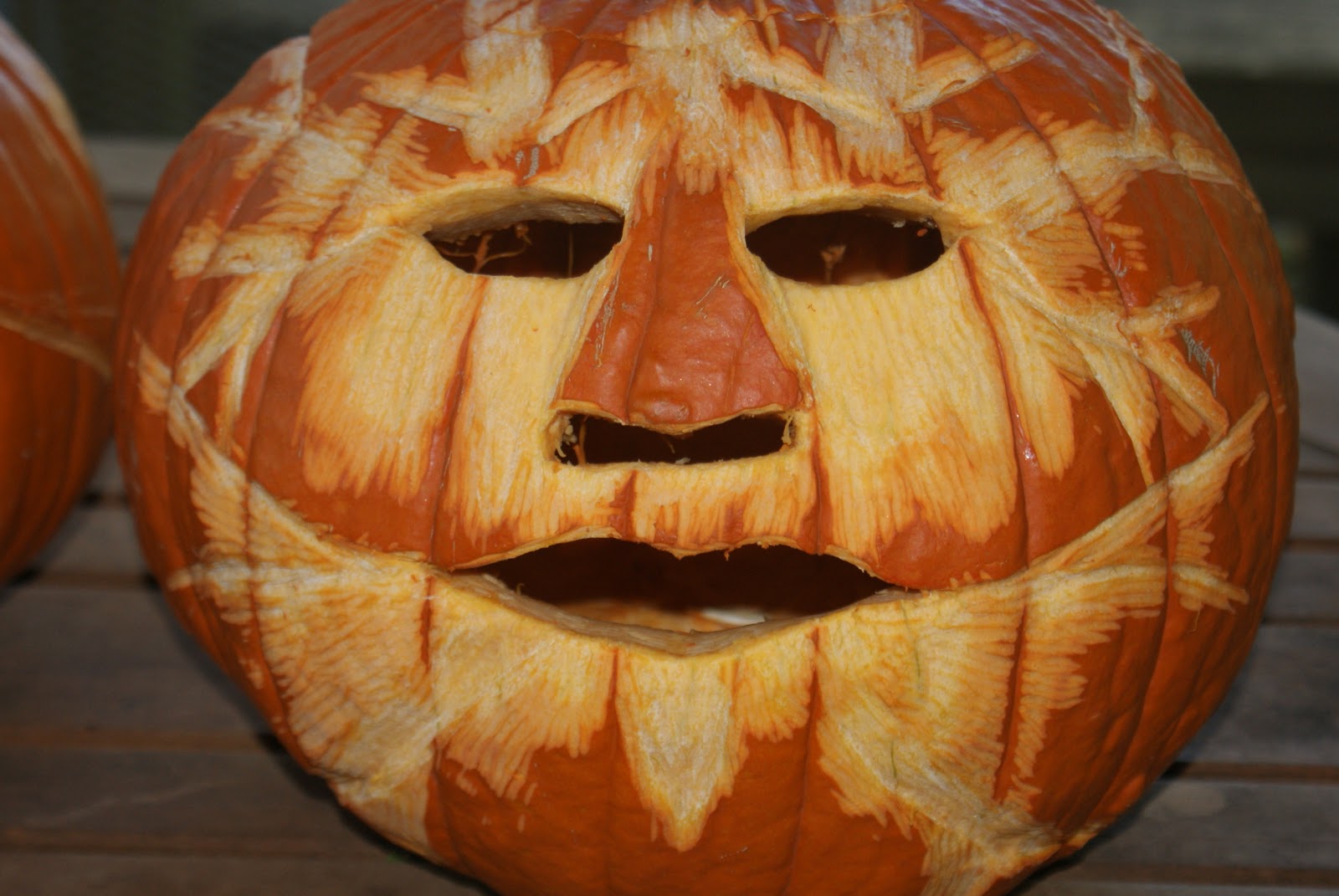
"Orange Man" carved by Edward


I've just finished straightening up in GIMP some more of the Small Stories series of small collages on poplar wood panels. This batch starts the ones that I made most recently, from mid-September to mid-October. Sometimes it seems that tinkering around with the images to get the colors and everything right takes longer than making the pieces...today is one of those times.


Small Stories 10

Small Stories 11

Small Stories 12

Small Stories 13


Thanks once again to the Graphics Fairy for the vintage hand in the last collage.
This post i linked here.

Wednesday, October 19, 2011

More Digital Image Experimenting: Wine is Proof that Bacchus Loves us...

One of the things that I've played around with in GIMP, my imaging program, is making some layers and coloring in and shading an outline, then adding text.

I've had this bit of text in my head for a few years and knew that I wanted to do something with it - combine it with an image and make a T-shirt, make a sign...something. The words are a play on the Benjamin Franklin quotation you often see on shirts etc about beer. My version: Wine is proof that Bacchus loves us and wants us to be happy.

The beginning for the graphic is a vintage black and white outline of grapevines and a wine barrel. Perfect.

I have to admit that I didn't create my text in the GIMP because I wanted the font sizes to be different for different words, and creating  a number of separate layers and patching them together correctly for the text portion just seemed like too much trouble...or too daunting.

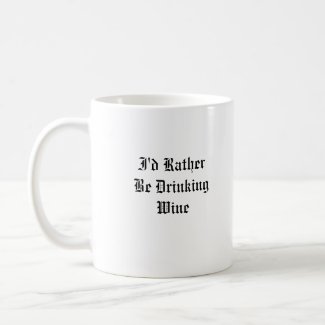
The back side of the mug, created on Zazzle,  says: I'd rather be drinking wine, and I left it customizable so it could say drinking Chardonnay, Merlot, etc. I also put it on a T-shirt.


Wine is proof that Bacchus loves us T Shirts from Zazzle.com

Friday, October 14, 2011

Shakespeare and Me, My First Digital Collage!

Yesterday I created my first digital collage. It was fun, challenging and above all (at least at times) frustrating. And I am eager to discover that perfect image that will click with a new idea and get back at it today.

I am still very much in learning mode with my imaging program, and also in a love-hate relationship with it. I have used GIMP for quite a while now, and use it fairly frequently to do minor editing and mostly things like straightening up, cropping and adjusting file sizes on pictures of my art and jewelry. Making a collage takes a lot more skill, knowledge, and in my case, trial and error. Some of those functions just don't really explain what they do, and more importantly I usually had to hunt and guess to find the hidden button or function to do what I wanted. The undo function was well used. "Undo" good.

The theme of my collage was William Shakespeare and The Globe theater. I was immediately drawn to one particular image of Shakespeare, which rather resembles my own Edward. Besides Will and a 17th century rendition of the Globe, it includes what is believed to be Shakespeare's handwriting, a bit of an old map of Stratford on Avon and his signature.

The past couple of days I have also opened a shop on Zazzle and been experimenting with putting some of my images on products there, so when I completed the collage, I tried it out on a black T-shirt.

Thursday, October 16, 2008

Art Collages on Photrade

Last week I wrote that I had figured out how to watermark my images in GIMP and also that I joined Photrade and started putting the pictures from my Italy trip up.


Now


I have also posted a number of my collages on Photrade. It's an interesting idea that people I don't know are looking at my photos and collages...well over 600 views, and that they could order prints, or even make mugs and mouse pads out of my images.


Silent in Stone


It's been a while since I've worked on a collage, because I have been focusing more on mosaics and painting recently, but as I was waking up Sunday morning I was planning a series of collages in my head.

http://www.photrade.com/13Moons

Friday, October 10, 2008

What I learned

When my daughter was about seven years old, she asked me one day what I did at work. I told her I worked at the college - that my job was to teach people how to draw. She stared at me, incredulous, and said, "You mean they forget?" ~Howard Ikemoto


Today I learned how to use the layers dialog in GIMP (kinda like Photoshop) and apply a watermark to images of artwork or photos. I felt intimidated at first, but it wasn't too difficult, and easy as pie the second time. I learned from the tutorial at eHow.

The image of this painting was then posted at my new esty shop for fine art.


Trade Winds

I painted this one last week...evidently while I was time traveling. Think anyone will notice?